
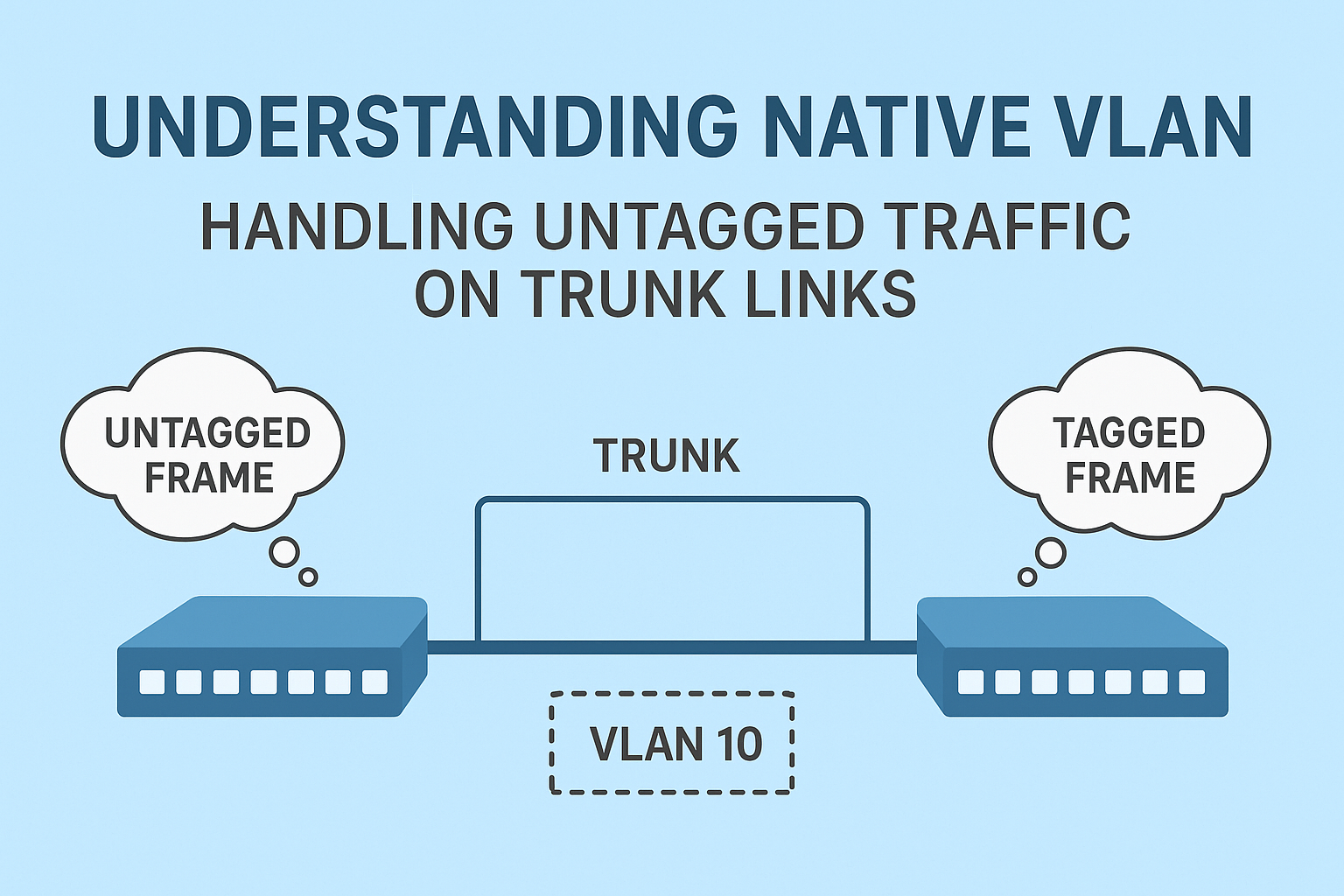
Native VLAN: The Bridge Between Tagged and Untagged Traffic
When working with VLANs and trunk links, one of the most common questions that comes up is –
“What happens when a trunk port receives a frame that isn’t tagged with any VLAN ID?”
This is where the concept of the Native VLAN comes into play.
Let’s take a deep dive into what the native VLAN is, how it works, and why it matters – both for compatibility and security in modern networks.
What is a Native VLAN?
To understand the native VLAN, let’s start with the basics.
When a trunk port sends traffic, it usually tags each Ethernet frame with a VLAN ID (using the 802.1Q header). This tag tells the receiving switch which VLAN the frame belongs to.
But sometimes, a trunk port receives a frame without any VLAN tag.
In that case, the switch must decide which VLAN that untagged frame belongs to – and that’s where the native VLAN comes in.
Definition:
The native VLAN is the VLAN that carries untagged traffic on an 802.1Q trunk link.
By default, Cisco switches use VLAN 1 as the native VLAN, but you can change it to any VLAN number as needed.
How the Native VLAN Works
Let’s look at the process step by step:
- A trunk link connects two switches.
- Each frame leaving the trunk is tagged with its VLAN ID – except for frames belonging to the native VLAN.
- When the receiving switch gets an untagged frame, it automatically places that frame into the native VLAN.
So, the native VLAN acts as the default VLAN for untagged frames on a trunk.
Example Configuration:
| Switch(config)# interface gigabitEthernet2/24 Switch(config-if)# switchport mode trunk Switch(config-if)# switchport trunk native vlan 42 |
In this example:
- The port is configured as a trunk.
- VLAN 42 is set as the native VLAN.
- Any untagged traffic arriving on this port is automatically treated as part of VLAN 42.
Important Facts About Native VLAN
Here are a few key details every network engineer should remember:
| Concept | Explanation |
| Default Native VLAN | VLAN 1 (by default on all trunk ports). |
| Custom Native VLAN | You can change it using the command switchport trunk native vlan <vlan-id>. |
| One Per Trunk | Each trunk port can only have one native VLAN. |
| Untagged Frames | Frames received without a VLAN tag are placed in the native VLAN. |
| Untagged Transmission | Frames from the native VLAN are sent untagged across the trunk. |
| Protocol Used | Only works with IEEE 802.1Q trunks – not ISL. |
Native VLAN Compatibility on Trunks
When two switches form a trunk, both sides must have the same native VLAN configured.
If not, unexpected behavior or connectivity issues can occur.
Example of Mismatch:
| Switch | Native VLAN |
| SW1 | VLAN 10 |
| SW2 | VLAN 20 |
In this scenario:
- Frames from VLAN 10 on SW1 are sent untagged.
- SW2 receives them and assigns them to VLAN 20.
This leads to VLAN leakage, where traffic from one VLAN accidentally lands in another – a serious configuration error.
Best Practice:
Always make sure that both ends of a trunk link use the same native VLAN.
Why Was the Native VLAN Introduced?
The concept of a native VLAN originally existed for backward compatibility with older, non-VLAN-aware devices like hubs.
Back in the day, some network devices couldn’t interpret VLAN tags. So, Cisco introduced the native VLAN to handle untagged traffic coming from such legacy equipment.
Security Risks with Native VLANs
Although the native VLAN has legitimate uses, it can also introduce security risks, especially in modern networks.
One common attack that exploits native VLANs is called VLAN hopping through double tagging.
The Double-Tagging Attack:
- An attacker sends a specially crafted Ethernet frame with two VLAN tags.
- The first tag is stripped off by the first switch (since it matches the native VLAN).
- The second tag remains — allowing the frame to be forwarded into another VLAN.
This lets malicious traffic “hop” from one VLAN to another – bypassing normal isolation rules.
How to Secure the Native VLAN
To minimize risks, network engineers can use several mitigation techniques:
1. Change the Native VLAN
Never use the default VLAN 1 as your native VLAN.
Instead, assign an unused VLAN as the native VLAN.
Example:
| Switch(config-if)# switchport trunk native vlan 999 |
VLAN 999 should not be assigned to any access port.
This way, any untagged or unexpected traffic gets dropped into a dead VLAN with no hosts.
2. Tag Native VLAN Traffic
You can force all trunk traffic – including the native VLAN – to always be tagged.
This prevents ambiguity and blocks double-tagging attacks.
Globally enable native VLAN tagging:
| Switch(config)# vlan dot1q tag native |
Or enable it per trunk:
| Switch(config)# interface gigabitEthernet2/24 Switch(config-if)# switchport trunk native vlan tag |
Now, even the native VLAN frames will carry tags, which closes a common VLAN-hopping loophole.
3. Disable Trunking on Unused Ports
Don’t leave unused ports as trunks. Set them to access mode and assign them to an unused VLAN:
| Switch(config)# interface range gi0/10 – 20 Switch(config-if-range)# switchport mode access Switch(config-if-range)# switchport access vlan 999 |
This reduces attack surfaces and improves overall network hygiene.
Summary: Native VLAN at a Glance
| Key Point | Explanation |
| Purpose | Handles untagged traffic on 802.1Q trunk ports. |
| Default Value | VLAN 1 |
| Configurable | Yes, per trunk port. |
| Supported On | Only 802.1Q trunks (not ISL). |
| Security Tip | Change it from default and tag native VLAN traffic. |
Final Thoughts
The native VLAN may seem like a small detail, but it plays a vital role in how switches handle untagged traffic on trunk links.
While it was once meant for compatibility with older hardware, today it’s more about maintaining proper VLAN segmentation and ensuring network security.
To summarize:
- Understand what the native VLAN does.
- Always configure it consistently on both sides of a trunk.
- Avoid using VLAN 1 as your native VLAN.
- Tag native VLAN traffic whenever possible.
By following these practices, you’ll make your network cleaner, more secure, and easier to troubleshoot.