
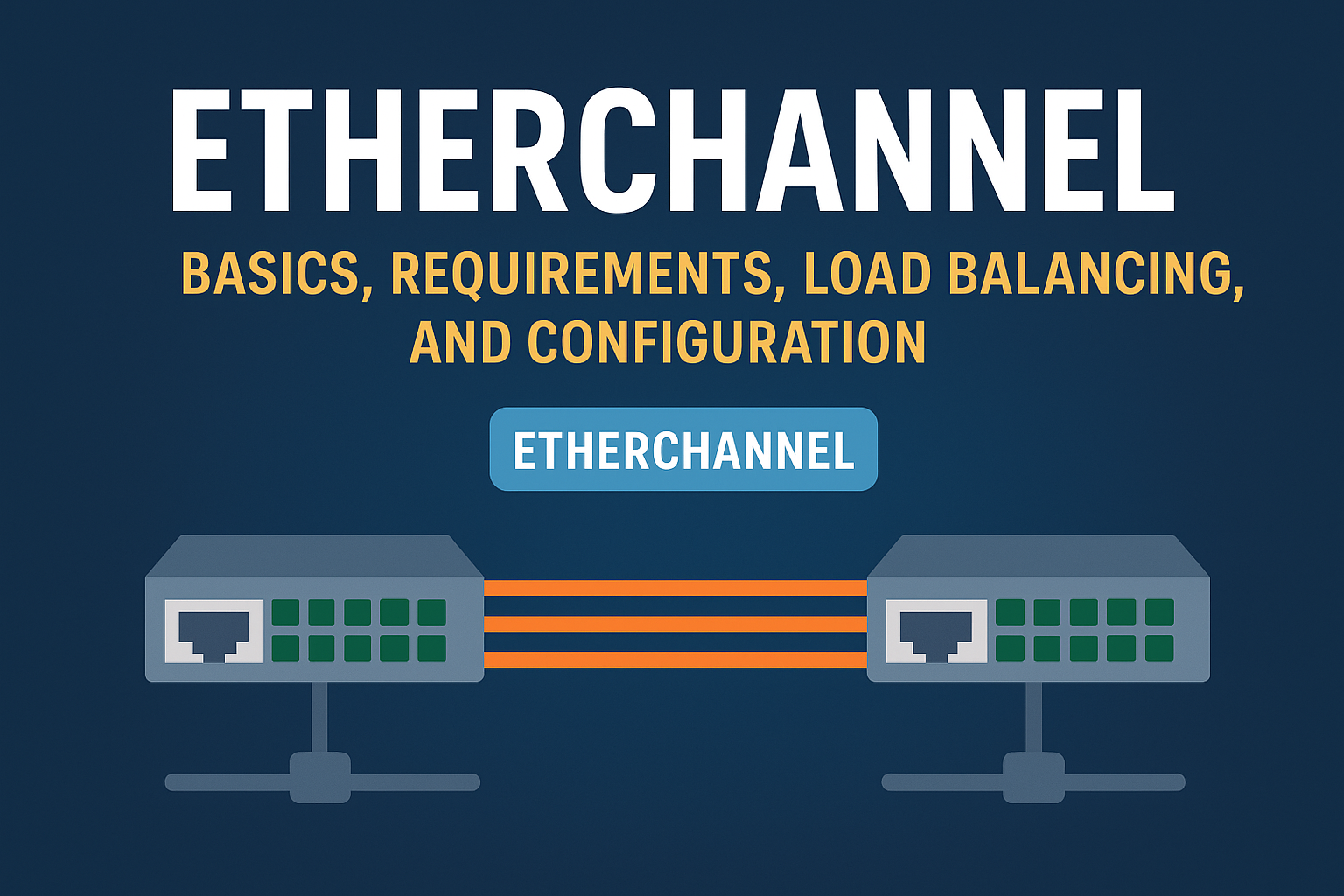
In modern networks, traffic demand keeps increasing. A single physical link between switches is often not enough to handle bandwidth requirements or provide redundancy. This is where EtherChannel becomes extremely useful.
In this blog, we will clearly understand:
- What EtherChannel is
- Why EtherChannel is required
- Basics of port aggregation
- EtherChannel requirements
- How EtherChannel load balancing works
- EtherChannel configuration methods (Manual and Dynamic)
Everything is explained in simple, plain English, without assuming deep prior knowledge.
What Is EtherChannel?
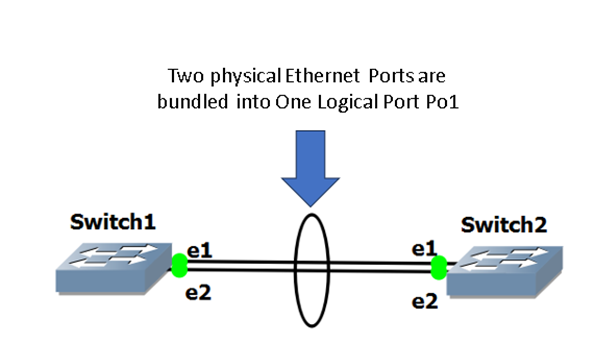
EtherChannel is a technology that allows us to bundle multiple physical Ethernet links into one logical link.
Instead of using one physical cable between two switches, we can use:
- 2 links
- 4 links
- 8 links (or more, depending on the platform)
All these links act as one single logical interface, called a Port-Channel.
To the switch and to routing protocols, it looks like one link, even though multiple physical cables are working behind the scenes.
Why Is EtherChannel ?
EtherChannel solves three major network problems:
- Bandwidth Limitation
A single Ethernet link (1 Gbps or even 10 Gbps) may not be enough.
Example:
- If you have four 1-Gbps links, EtherChannel can provide up to 4 Gbps aggregated bandwidth.
2. Redundancy and High Availability
Without EtherChannel:
- Spanning Tree Protocol (STP) blocks redundant links to avoid loops.
- That means only one link is active, and others are unused.
With EtherChannel:
- STP treats the entire bundle as one logical link
- No links are blocked
- If one cable fails, traffic automatically flows through remaining links
Result: No downtime and better resiliency
3. Simplified Network Design
- STP sees only one logical interface
- Routing protocols see one interface
- Configuration and troubleshooting become easier
Port Aggregation: The Core Concept
Port aggregation means combining multiple physical interfaces into one logical interface.
In EtherChannel:
- Physical ports → grouped together
- Logical interface → Port-Channel
Example:
| GigabitEthernet0/1 GigabitEthernet0/2 GigabitEthernet0/3 GigabitEthernet0/4 ↓ Port-Channel1 |
Traffic is distributed across these links using a load-balancing algorithm, which we will discuss later.
EtherChannel Requirements (Very Important)
For EtherChannel to work properly, both sides must have identical settings. If even one requirement mismatches, EtherChannel will fail.
EtherChannel Requirements Checklist
All member ports must have:
- Same Speed
- Example: All ports must be 1 Gbps
- You cannot mix 1 Gbps and 10 Gbps
2. Same Duplex Mode
- All ports must be full-duplex
- Mixing half and full duplex is not allowed
3. Same VLAN Configuration
Depending on the port type:
Access Ports
- Must be in the same access VLAN
Trunk Ports
- Must have:
- Same native VLAN
- Same allowed VLAN list
- Same trunk encapsulation (802.1Q)
4. Same Port Type
- All access ports or
- All trunk ports
You cannot mix access and trunk ports in the same EtherChannel.
5. Same EtherChannel Mode on Both Sides
- Manual mode must match
- Dynamic negotiation mode must be compatible
Golden rule:
EtherChannel is very strict. Even a small mismatch can break the bundle.
EtherChannel Load Balancing
One common misunderstanding is:
“EtherChannel sends traffic equally on all links.”
That is not exactly true.
How Load Balancing Actually Works
EtherChannel uses a hashing algorithm to decide:
- Which physical link will carry a specific flow
The decision is based on fields such as:
- Source MAC address
- Destination MAC address
- Source IP address
- Destination IP address
- Layer 4 ports (TCP/UDP)
Example:
- PC-A → Server-A may always use link 1
- PC-B → Server-B may use link 3
This ensures:
- Packets of the same flow arrive in order
- No packet reordering issues
Common Load Balancing Methods
Depending on the switch, load balancing can be based on:
- MAC address
- IP address
- Port numbers
- Combination of these
Important Note:
EtherChannel does not increase bandwidth for a single flow.
It increases overall bandwidth by distributing multiple flows across links.
EtherChannel Configuration Methods
EtherChannel can be configured in two ways:
- Manually
- Dynamically using an aggregation protocol (PAgP or LACP)
🔹 What Is Manual EtherChannel Configuration?
In manual configuration, the switch does not exchange any negotiation packets with the remote device.
Instead, it assumes that:
- The remote switch is configured correctly
- All ports are compatible
- Both sides intend to form an EtherChannel
Because of this, manual configuration is:
- Simple
- Fast
- But risky if misconfigured
If there is a mismatch, manual EtherChannel can cause Layer-2 loops or traffic issues.
🔹 Basic Manual EtherChannel Configuration
To manually bundle two physical interfaces into an EtherChannel, use the following steps:
| Switch(config)# interface range gi2/23 – 24 Switch(config-if)# channel-group 1 mode on |
Explanation:
- interface range gi2/23 – 24 selects the physical interfaces
- channel-group 1 assigns the ports to EtherChannel number 1
- mode on forces the ports into the EtherChannel
Important:
The remote switch must also be manually configured using mode on.
Manual EtherChannel will not form if the other side is using PAgP or LACP.
🔹 Mandatory Configuration Matching (Critical Rule)
Since manual EtherChannel does not perform negotiation, it relies completely on correct configuration.
All participating ports on both switches must have identical:
- Speed
- Duplex
- VLAN configuration
- Spanning Tree Protocol (STP) settings
Even a small mismatch can result in:
- EtherChannel failure
- Traffic blackholing
- Network loops
🔹 Channel-Group Number Explained
The channel-group number identifies the EtherChannel locally on a switch.
Key points:
- The channel-group number does not need to match on both switches
- For clarity and documentation, it is recommended to use the same number
Example:
- Switch A → channel-group 1
- Switch B → channel-group 5
(This still works, but can confuse troubleshooting)
🔹 Port-Channel Interface Creation
When physical ports are added to a channel-group, the switch automatically creates a logical interface called a Port-Channel.
Example:
| Port-Channel1 |
This logical interface represents the entire EtherChannel bundle.
To configure it:
| Switch(config)# interface port-channel 1 Switch(config-if)# |
Configuring the Port-Channel Interface
Why Configure the Port-Channel Instead of Physical Ports?
Any configuration applied to the Port-Channel interface is automatically applied to all member physical interfaces.
This ensures:
- Consistency
- Easier management
- Fewer configuration errors
Example: Configure Port-Channel as a Trunk
| Switch(config)# interface port-channel 1 Switch(config-if)# switchport mode trunk Switch(config-if)# switchport trunk allowed vlan 50-100 |
This configuration:
- Makes the entire EtherChannel a trunk
- Allows VLANs 50 to 100 on all member links
🔹 Configuring a Layer-3 Port-Channel
EtherChannel is not limited to Layer-2.
A Port-Channel can also operate as a Layer-3 interface.
Example Configuration:
| Switch(config)# interface port-channel 1 Switch(config-if)# no switchport Switch(config-if)# ip address 192.168.10.1 255.255.255.0 |
This converts the Port-Channel into:
- A routed interface
- Commonly used between distribution and core switches
🔹 Enabling the Port-Channel Interface
By default, a Port-Channel interface is administratively shut down.
To bring it online:
| Switch(config)# interface port-channel 1 Switch(config-if)# no shutdown |
Once enabled, the EtherChannel becomes operational.
🔹 Physical Interface Configuration Rule
Not all settings can be applied to the Port-Channel interface.
Must be configured on physical interfaces:
- Speed
- Duplex
Example:
| Switch(config)# interface gi2/23 Switch(config-if)# speed 1000 Switch(config-if)# duplex full |
These properties cannot be configured under the Port-Channel interface.
EtherChannel – Dynamic Configuration Explained
EtherChannel can be configured either manually or dynamically. In this section, we focus on dynamic EtherChannel configuration, where switches automatically negotiate with each other before forming a bundle.
Dynamic configuration is safer and more reliable because the switches first agree on parameters before creating the EtherChannel.
Dynamic Aggregation Protocols Supported by Cisco
Cisco switches support two dynamic aggregation protocols:
- PAgP (Port Aggregation Protocol)
- Cisco proprietary protocol
- Works only between Cisco devices
2. LACP (Link Aggregation Control Protocol)
- IEEE standard protocol
- Originally defined in 802.3ad (now 802.1AX)
- Works between multi-vendor devices
Both protocols use negotiation packets to decide whether an EtherChannel should be formed.
🔹 Why Negotiation Is Important
When using dynamic EtherChannel:
- Switches exchange control packets
- They verify that:
- Both sides want to form an EtherChannel
- Port settings are compatible
In contrast:
- Manual EtherChannel sends no negotiation packets
- The switch assumes everything is correct
Important Rule:
An EtherChannel will never form if one side is manually configured and the other side uses PAgP or LACP.
Both sides must use:
- Dynamic + Dynamic
or - Manual + Manual
🔹 Protocol Compatibility Rule
Another critical rule in dynamic EtherChannel is:
PAgP and LACP are NOT compatible with each other
This means:
- If one switch is running PAgP, the other must also run PAgP
- If one switch is running LACP, the other must also run LACP
Mixing protocols will prevent the EtherChannel from forming.
EtherChannel Using PAgP (Port Aggregation Protocol)
What Is PAgP?
PAgP is a Cisco-proprietary protocol used to negotiate EtherChannel formation between Cisco switches.
It helps prevent:
- Misconfigurations
- Accidental loops
- Incorrect bundling of ports
PAgP Modes Explained
PAgP supports two modes:
Desirable Mode
- Actively sends PAgP negotiation packets
- Tries to form an EtherChannel
Think of it as:
“I want to form an EtherChannel”
Auto Mode
- Passive mode
- Waits for the remote switch to initiate negotiation
Think of it as:
“I’m willing, but I won’t start”
When Will a PAgP EtherChannel Form?
A PAgP EtherChannel will form in these combinations:
| Switch A | Switch B | Channel Formed |
| Desirable | Desirable | Yes |
| Desirable | Auto | Yes |
| Auto | Auto | No |
If both sides are in auto mode, no one initiates negotiation, so the channel never forms.
🔹 When Will a PAgP EtherChannel NOT Form?
A PAgP channel will fail to form if:
- The remote side is:
- Using LACP
- Manually configured (mode on)
- Both sides are in auto mode
- Port parameters do not match
PAgP Configuration Example (Dynamic)
Below is an example of creating an EtherChannel using PAgP negotiation:
| Switch(config)# interface range gi2/23 – 24 Switch(config-if)# channel-protocol pagp Switch(config-if)# channel-group 1 mode desirable |
On the other switch, you can configure:
| Switch(config-if)# channel-group 1 mode auto |
This combination works because:
- One side actively initiates (desirable)
- The other side responds (auto)
Mandatory Configuration Consistency (Very Important)
PAgP does not override port mismatches. All participating ports must have identical settings.
Required Matching Parameters:
- Speed
- Duplex
- VLAN configuration
- Access VLAN (for access ports)
- Native VLAN and allowed VLANs (for trunk ports)
- Spanning Tree Protocol (STP) settings
If any of these settings differ, PAgP will refuse to form the EtherChannel.
Why Dynamic EtherChannel Is Preferred
Dynamic EtherChannel using PAgP or LACP:
- Prevents accidental loops
- Verifies compatibility before bundling
- Automatically disables incompatible links
- Is easier to troubleshoot
That’s why dynamic negotiation is always recommended over manual configuration in production networks.
Key Takeaways
- EtherChannel bundles multiple physical links into one logical link
- It improves bandwidth, redundancy, and stability
- All port settings must be identical on both sides
- Load balancing is based on hashing, not packet-by-packet
- Dynamic EtherChannel (especially LACP) is best practice
Final Thoughts
EtherChannel is one of the most fundamental and powerful technologies in switching. It helps networks scale, remain resilient, and efficiently use available bandwidth. Understanding its basics, requirements, and behavior is essential for every network engineer.
If you master EtherChannel, you also gain a strong foundation for understanding:
- Data center designs
- Spine-leaf architectures
- High availability networks