
In Ethernet networks, loops are dangerous. A loop can bring down the entire network by causing broadcast storms and MAC table instability. To prevent this, switches use Spanning Tree Protocol (STP).
STP does not work randomly. It relies heavily on timers to decide when to send messages, how long to wait, and when to change a port’s state.
Understanding these timers is extremely important for network stability and troubleshooting.
In this blog, we will explain STP timers in simple English, with real-world examples.
Why Do We Need STP Timers?
Think of STP like a traffic police system at a busy junction:
- Switches must talk to each other
- They must wait before making decisions
- They must avoid sudden changes that could break the network
STP timers make sure that:
- The network converges safely
- No loops are created during topology changes
- Switches get enough time to learn correct paths
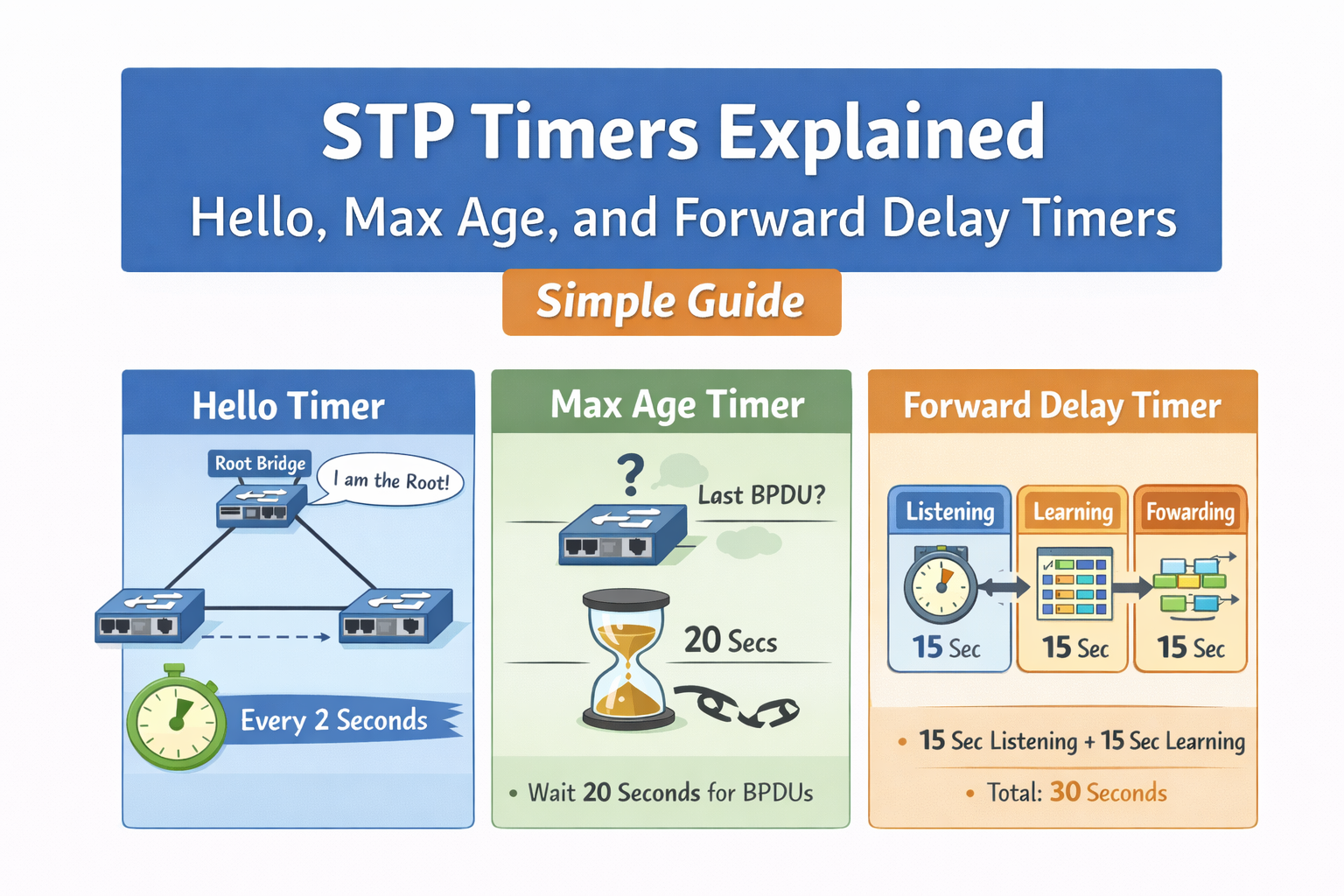
The Three Main STP Timers
STP uses three core timers:
- Hello Timer
- Max Age Timer
- Forward Delay Timer
Let’s understand each one in detail.
1. Hello Timer
What is the Hello Timer?
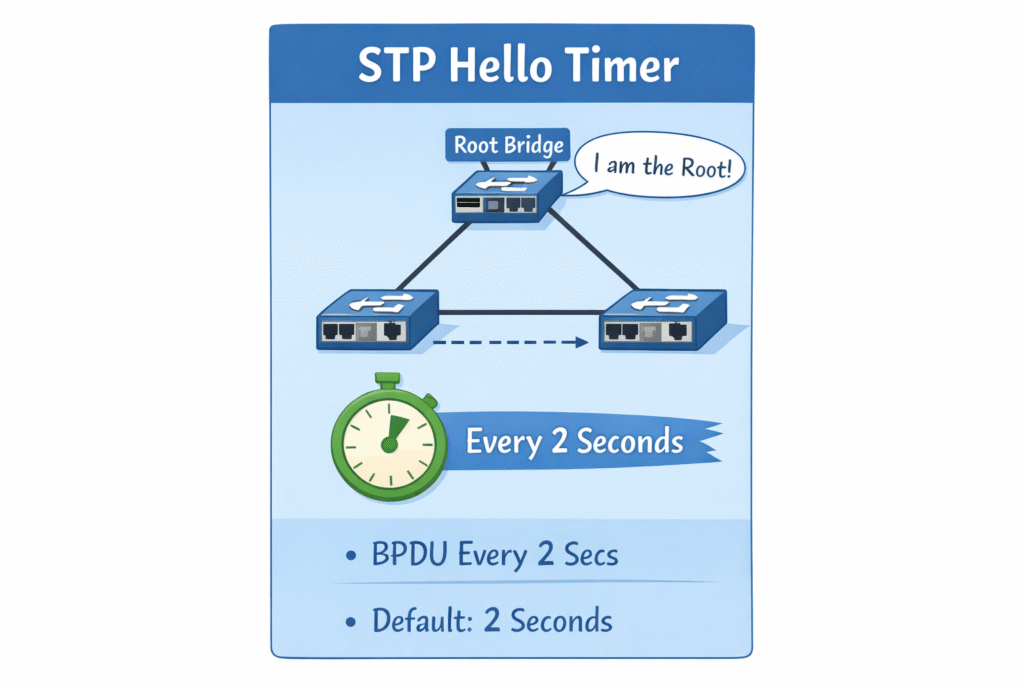
The Hello Timer decides how often the root bridge sends BPDU messages.
- BPDU = Bridge Protocol Data Unit
- These messages tell other switches:
- “I am the root bridge”
- “This is the best path to the root”
Default Value
- 2 seconds
This means:
The root bridge sends a BPDU every 2 seconds
Simple Analogy
Imagine a team leader saying:
“I’m here, I’m still the leader”
every 2 seconds.
That’s exactly what the Hello Timer does.
Why Is It Important?
- Keeps the topology information fresh
- Ensures all switches know the root bridge
- Helps detect failures quickly
What Happens If Hello Timer Is Too High?
- Failure detection becomes slow
- Network takes longer to react
What Happens If It Is Too Low?
- Too many BPDUs
- Unnecessary CPU usage on switches
2. Max Age Timer
What is the Max Age Timer?
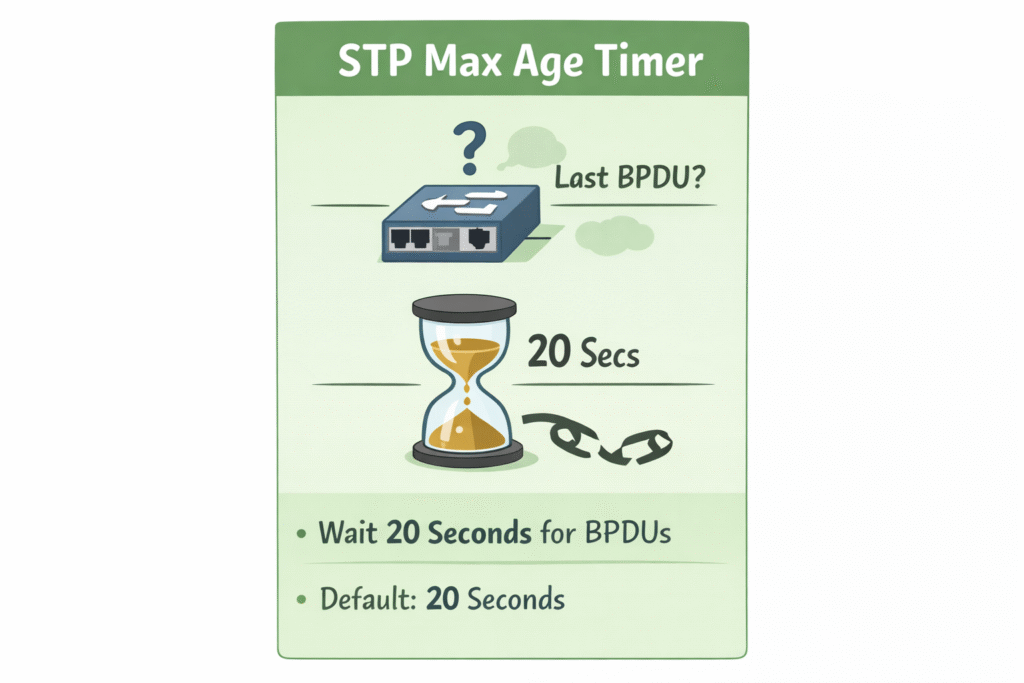
The Max Age Timer defines how long a switch keeps BPDU information before considering it invalid.
Default Value
- 20 seconds
How It Works
- Switch receives BPDUs from the root
- If BPDUs stop arriving…
- The switch waits 20 seconds
- If nothing arrives, it assumes:
“The root bridge or path is dead”
Then STP recalculates the topology.
Simple Analogy
Think of a WhatsApp group admin:
- If the admin stops responding for 20 seconds
- Members assume something is wrong
- A new admin election starts
Why Is It Important?
- Prevents stale topology information
- Helps switches detect failures
- Triggers re-convergence when needed
If Max Age Is Too Low
- False topology changes
- Unstable network
If Max Age Is Too High
- Slow reaction to real failures
3. Forward Delay Timer
What is the Forward Delay Timer?
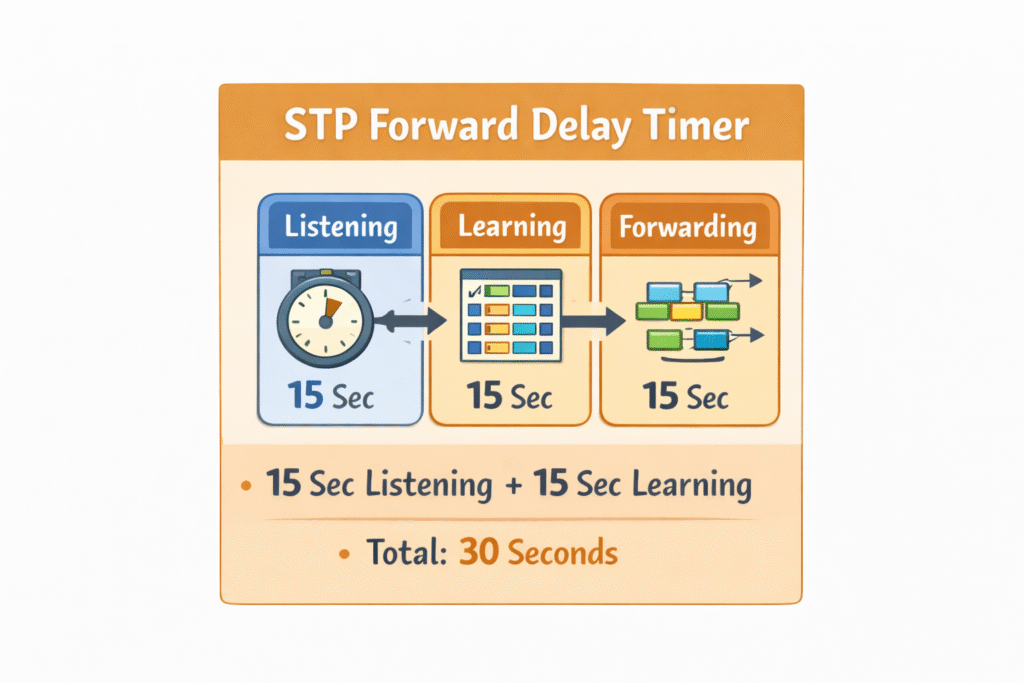
The Forward Delay Timer controls how long a port stays in Listening and Learning states.
Default Value
- 15 seconds per state
STP Port States:
- Listening – 15 seconds
- Learning – 15 seconds
- Forwarding – Data traffic allowed
Total time before forwarding:
30 seconds
Why Are Listening and Learning Needed?
- Listening:
- No data traffic
- Only STP decisions
- Learning:
- MAC addresses are learned
- Still no data forwarding
This prevents temporary loops.
Simple Analogy
Before opening a road:
- Traffic police check signals
- Observe traffic patterns
- Then allow vehicles
How STP Timers Work Together
Here’s how all timers combine during a topology change:
- Root bridge sends BPDUs every 2 seconds
- If BPDUs stop:
- Switch waits 20 seconds (Max Age)
- New topology calculation starts
- Ports move:
- Listening (15s)
- Learning (15s)
- Forwarding
Total convergence time ≈ 50 seconds
Can We Change STP Timers?
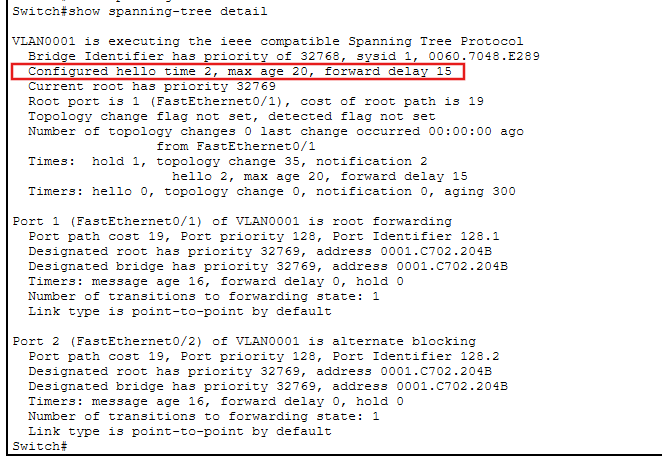
As shown in the image above, these are the default STP timer values configured on the switch.
But is it possible to change these default timers?
Yes, but it is not recommended unless you fully understand the impact.
Why Changing Timers Is Risky
- Timers must follow strict ratios
- Incorrect values can cause loops
- Can break interoperability with other switches
Rule to Remember
Always change STP timers only on the root bridge
In real networks, faster convergence is achieved using:
- Rapid STP (RSTP)
- Multiple STP (MSTP)
Not by changing classic STP timers.
Summary
- STP timers control when and how switches make decisions
- Default timers are designed for safety, not speed
- Understanding timers helps in:
- Troubleshooting
- Network design
- Interviews
- For faster convergence, use RSTP, not timer tuning
STP timers may look simple, but they play a critical role in keeping your network loop-free and stable.
Once you understand Hello, Max Age, and Forward Delay, STP becomes much easier to visualize and debug.